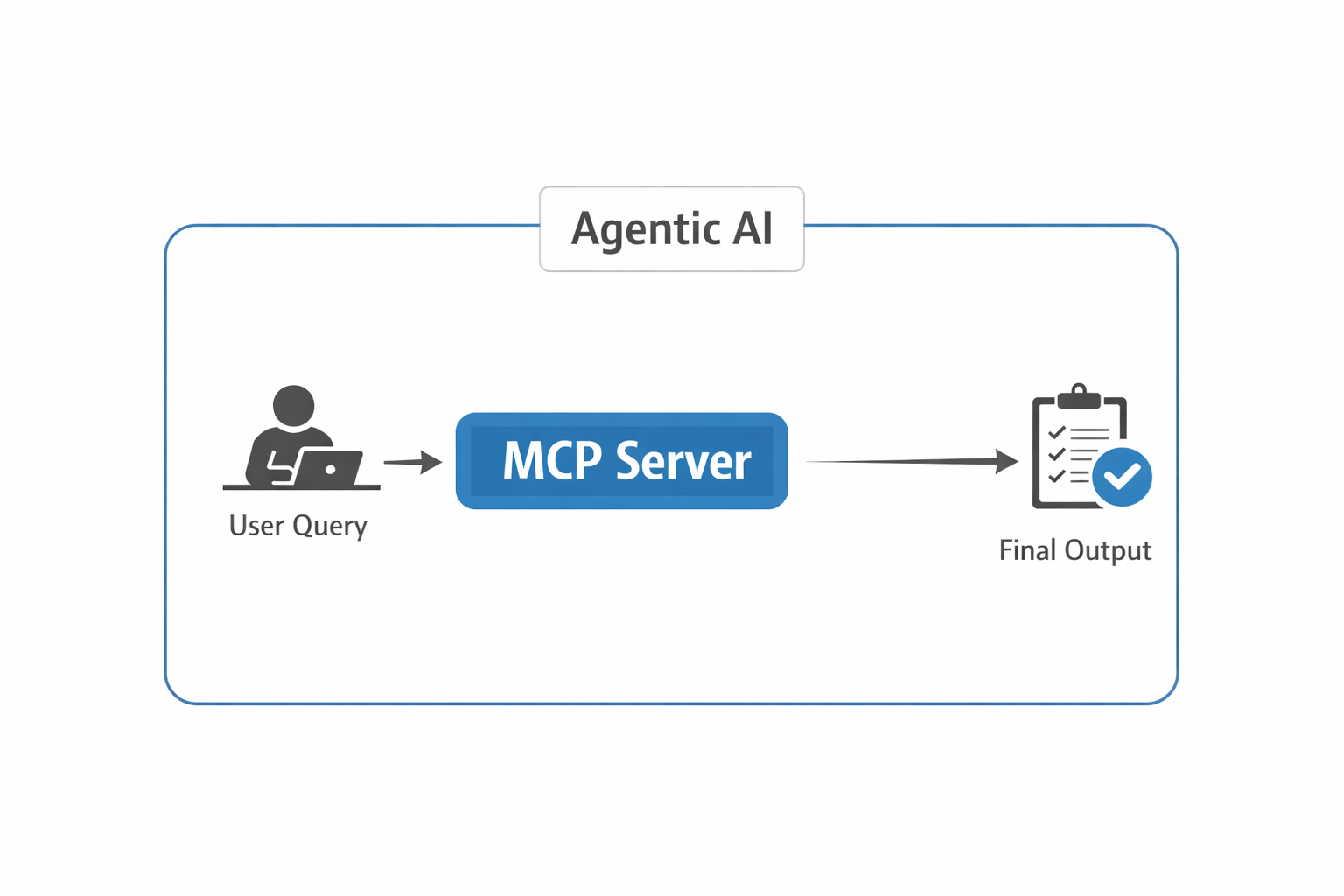
While working on agentic AI, I found that reliable agentic systems depend on clear separation of responsibilities between the LLM, agent orchestration layer, and MCP server. If we design the MCP server properly and implement the right guardrails around agent execution, the overall system performs more reliably in production.
What is MCP:
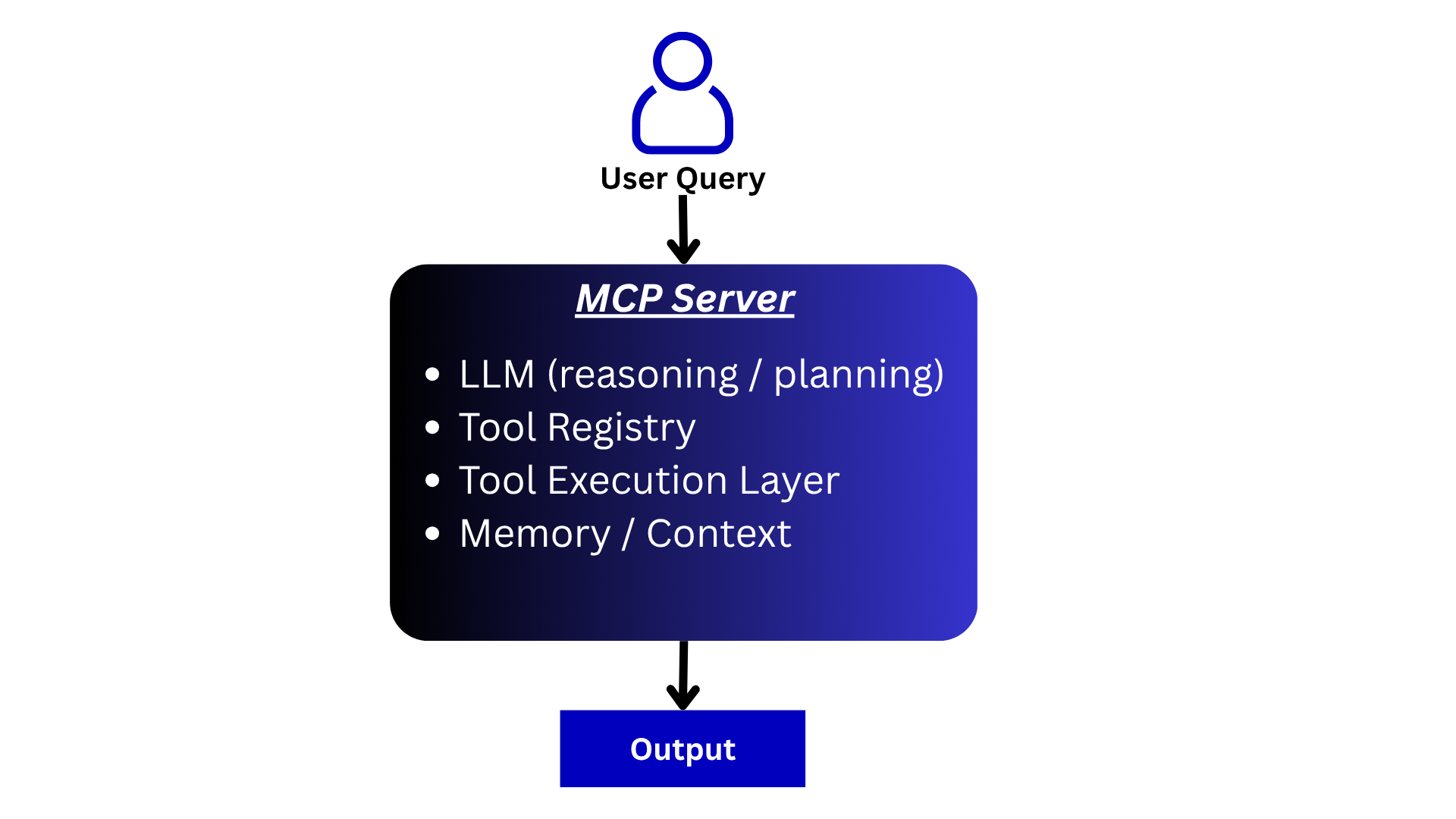
MCP stands for Model Context Protocol. It is an open standard that allows AI applications to connect to external tools, prompts, and resources through a consistent interface.
The MCP server itself does not perform reasoning or planning. Instead, an LLM-powered client or agent uses MCP to discover available capabilities and decide when to invoke them.
Let’s explore the major components involved in an MCP-enabled agentic system:
LLM Client / Agent Reasoning:
The LLM-powered client or agent receives the user query and decides how to solve the problem. Based on the available tools exposed through MCP, it determines which tools to call, what inputs to provide, and when to stop.
The MCP server makes capabilities available, while the LLM performs the reasoning and planning.
Tool Registry:
One of the most common capabilities exposed by an MCP server is a collection of tools. Each tool contains metadata, descriptions, schemas, and execution logic that allow an LLM client to understand how and when the tool should be used.
For example, assume we want to build an agent that checks our recent emails and summarizes them. The required tool would be an API that returns the last 5 emails to the LLM.
So, designing the tool registry correctly with proper metadata is very important. Based on this, the LLM understands which tool to use for which task.
Sample tool registry:
    email_tool = Tool(
        name="get_recent_emails",
        description="Fetch recent emails from Gmail. Use this when user asks about emails.",
        func=get_recent_emails,
        parameters={
            "type": "object",
            "properties": {
                "n": {
                    "type": "integer",
                    "description": "Number of recent emails to fetch"
                }
            },
            "required": ["n"]
        }
    )
Prompt Registry:
MCP servers can also expose reusable prompts. These prompts act as predefined workflows or instructions that clients can discover and use.
For example, a customer-support MCP server might expose prompts such as:
- Summarize support tickets
- Generate escalation reports
- Categorize customer complaints
Instead of embedding these prompts inside every application, they can be centrally managed and exposed through MCP.
Tool Execution Layer:
When an MCP tool is invoked by the client, the MCP server executes the requested operation and returns the result back to the client. The client may then pass the result back to the LLM for additional reasoning or final response generation.
For example, this could be a simple .py file containing functions that call specific APIs.
Conversation State and Context:
Tool outputs are often returned to the LLM so it can continue reasoning about the task. The client application is typically responsible for maintaining conversation state, execution history, and memory.
Based on this context, the LLM decides the next step, whether to return the result to the user or call another tool to complete the task.
Examples:
Example 1:
If the user query is: “Summarize my last 5 emails for me”
The LLM client discovers the available email tools exposed through MCP, decides to call the email retrieval tool, receives the results, generates a summary, and returns the final response. This is a single-pass flow.
Example 2:
If the user query is: “Fetch my last 100 emails, classify them as promotional or not, and save them in Excel”
The LLM client performs the following steps:
- Fetches 100 emails using the appropriate tool
- Classifies the emails
- Passes the results back to the LLM
- The LLM selects another tool (e.g., save_excel)
- Processes the output, saves the file locally, and returns the result
This is a multi-pass decision flow.
Working example:
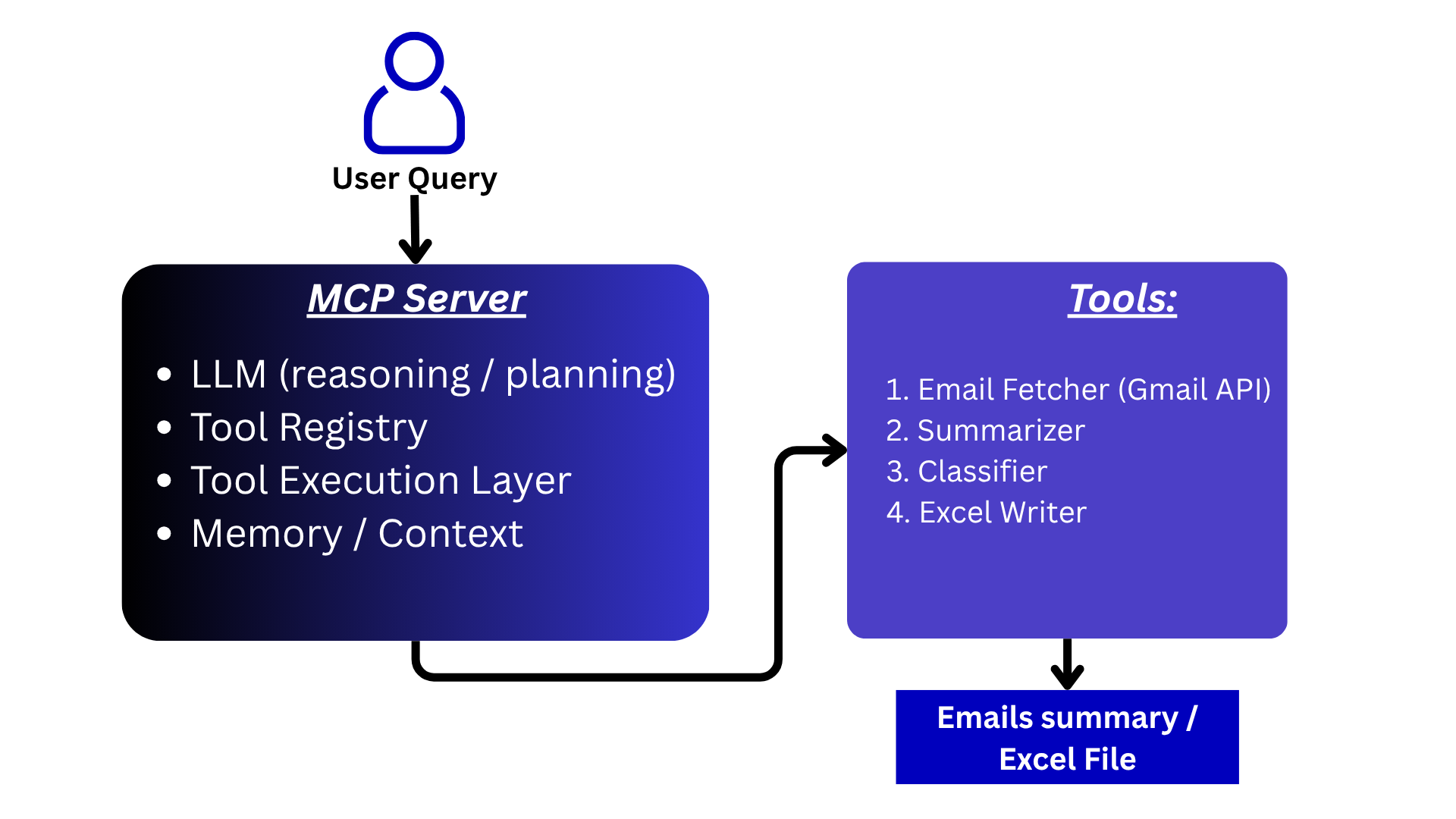
Objective:
Build a personal assistant that can summarize the last 5 emails. Additionally, it should be able to fetch the last N emails, classify them into promotional and non-promotional categories, and save the classified data into an Excel file.
Let’s walk through a simple working example to understand how MCP operates.
Step 1:
First, we will build the tools. In our case, we need two functions:
- One to extract the last N emails
- Another to save the results into an Excel file
Extract recent N emails function:
from googleapiclient.discovery import build
from google.oauth2.credentials import Credentials

# helper function to fetch most recent emails
def get_recent_emails(n: int = 10):

    """
    Fetch last n emails from Gmail.
    Returns list of dicts with subject and body snippet.
    """

    # Load saved credentials (after first OAuth login)
    # creds = Credentials.from_authorized_user_file('credentials.json')

    # Build Gmail service
    service = build('gmail', 'v1', credentials=creds)

    # Get message IDs
    results = service.users().messages().list(
        userId='me',
        maxResults=n
    ).execute()

    messages = results.get('messages', [])

    email_data = []

    for msg in messages:
        msg_id = msg['id']

        # Fetch full message
        msg_data = service.users().messages().get(
            userId='me',
            id=msg_id
        ).execute()

        headers = msg_data.get('payload', {}).get('headers', [])

        subject = ""
        for h in headers:
            if h['name'] == 'Subject':
                subject = h['value']
                break

        snippet = msg_data.get('snippet', "")

        email_data.append({
            "id": msg_id,
            "subject": subject,
            "snippet": snippet
        })

    return email_data
Second function to save the data to excel:
import pandas as pd
from datetime import datetime

def normalize_data(data):
    """Convert Gemini objects → Python dict"""
    normalized = []

    for item in data:
        if hasattr(item, "items"):
            normalized.append({k: v for k, v in item.items()})
        else:
            normalized.append(item)

    return normalized


def save_to_excel(data, file_name=None):

    if not data:
        raise ValueError("Data must be non-empty")

    # convert to list if needed
    data = list(data)

    # normalize Gemini objects
    data = normalize_data(data)

    if len(data) == 0:
        raise ValueError("Data is empty after normalization")

    df = pd.DataFrame(data)

    if not file_name:
        timestamp = datetime.now().strftime("%Y%m%d_%H%M%S")
        file_name = f"emails_{timestamp}.xlsx"

    df.to_excel(file_name, index=False)

    return file_name
Step 2:
Once we have created the tools, the next step is to create a tool registry, which will hold descriptions and input-related details for each tool.
Here, we must define metadata in such a way that the LLM clearly understands what each tool does and when to use it.
# Helper class to create metadata for the Tool
class Tool:
    def __init__(self, name, description, func, parameters):
        self.name = name
        self.description = description
        self.func = func
        self.parameters = parameters  # for LLM schema


# registering first tool to fetch the emails based on the requirements
email_tool = Tool(
    name="get_recent_emails",
    description="Fetch recent emails from Gmail. Use this when user asks about emails.",
    func=get_recent_emails,
    parameters={
        "type": "object",
        "properties": {
            "n": {
                "type": "integer",
                "description": "Number of recent emails to fetch"
            }
        },
        "required": ["n"]
    }
)


# registering second tool to save the data in excel
excel_tool = Tool(
    name="save_to_excel",
    description="Save structured data into an Excel file.",
    func=save_to_excel,
    parameters={
        "type": "object",
        "properties": {
            "data": {
                "type": "array",
                "description": "List of dictionaries to save"
            },
            "file_name": {
                "type": "string",
                "description": "Optional file name"
            }
        },
        "required": ["data"]
    }
)


# Helper class to create tool registry
class ToolRegistry:
    def __init__(self):
        self.tools = {}

    def register(self, tool: Tool):
        self.tools[tool.name] = tool

    def get(self, name):
        return self.tools.get(name)

    def list_tools(self):
        return list(self.tools.values())


# register our tools here
registry = ToolRegistry()

registry.register(email_tool)
registry.register(excel_tool)
Step 3:
Now that we have the execution layer and tool registry, let’s move to the next step and create a simple agent orchestration layer that consumes MCP-style tools. This orchestration will take the user query, run for a fixed number of iterations (e.g., 5), and generate the final output.
# orchestration function = this is part of the agent/client layer
def run_mcp_agent(user_input, registry, max_steps=5):

    tools = get_tools_for_gemini(registry)

    SYSTEM_PROMPT = """
    You are an AI agent with access to tools.

    You can perform multi-step tasks.

    Available capabilities:
    1. Fetch emails using tools
    2. Analyze emails (classification, summarization)
    3. Save results using tools

    Rules:
    - Always use tools to fetch real data.
    - After receiving data, process it yourself (do NOT call tool for reasoning).
    - If user asks to classify, classify each item clearly.
    - If user asks to save, call the save_to_excel tool with structured data.
    - Do not stop until the full task is completed.
    - Do not return empty responses.

    Workflow examples:

    Example 1:
    User: "Summarize last 5 emails"
    → call get_recent_emails
    → summarize
    → return final answer

    Example 2:
    User: "Classify last 100 emails and save to excel"
    → call get_recent_emails
    → classify each email
    → call save_to_excel with results
    → return confirmation

    Always think step-by-step before acting.
    """

    messages = [
        {"role": "user", "parts": [SYSTEM_PROMPT + "\n\nUser: " + user_input]}
    ]

    for step in range(max_steps):

        response = model.generate_content(
            messages,
            tools=tools
        )

        candidate = response.candidates[0]
        content = candidate.content
        part = content.parts[0]


        if hasattr(part, "text") and part.text.strip():
            return part.text


        # TOOL CALL
        if hasattr(part, "function_call") and part.function_call.name:
            fn_call = part.function_call
            tool_name = fn_call.name

            print("Tool:", tool_name)

            # guard INSIDE
            if not tool_name or tool_name not in registry.tools:
                print("Invalid tool call")
                return "Invalid tool call"

            # args parsing
            raw_args = fn_call.args or {}

            args = {
                k: int(v) if isinstance(v, float) else v
                for k, v in raw_args.items()
            }

            # fallback default
            if tool_name == "get_recent_emails" and "n" not in args:
                args["n"] = 5

            print(f"Calling Tool: {tool_name} with {args}")

            result = execute_tool(registry, tool_name, args)

            if tool_name == "save_to_excel":
                return f"Data saved successfully to {result}"

            # send tool response
            messages.append({
                "role": "user",
                "parts": [{
                    "function_response": {
                        "name": tool_name,
                        "response": {"data": result}
                    }
                }]
            })

        else:
            # FINAL RESPONSE
            if hasattr(part, "text") and part.text.strip():
                return part.text

    return "Max steps reached"
The most important part here is deciding when to stop. Some agents run for multiple iterations before reaching the final output.
In our case:
- The agent will complete the email summarization task in a single pass
- For the classification + Excel task, it will take two passes:
- Fetch and classify emails
- Save the output using another tool
In very simple terms, an MCP server exposes tools, prompts, and resources through a standardized protocol. An LLM-powered client discovers these capabilities, performs reasoning, invokes the appropriate tools, and generates the final response for the user.
Important Guardrails for Agentic Systems Using MCP:
Max Iterations (Hard Stop):
To avoid infinite loops, we need to enforce a maximum number of iterations. After a fixed number of steps, the agent should stop execution.
For our example, we have set this limit to 5 iterations.
Early Exit Conditions (Very Important):
Once a decision is made, we should break the loop immediately. This depends on the output received from the tools.
It is very important to interpret tool outputs correctly and define exit conditions so that the system does not continue unnecessary iterations after reaching a valid result.
Tool Call Budget:
This is one of the most important guardrails you can implement.
We can enforce limits within the tool itself—for example, defining the maximum number of items a tool can process:
if n > 150:
    raise ValueError("Limit exceeded")
This ensures that if the LLM reasons incorrectly and requests thousands of emails, the system prevents expensive or heavy operations.
Additionally, we can:
- Pass this error back to the LLM and ask it to revalidate and adjust the input
- Or cap the value (e.g., return 150 if the input exceeds the limit)
There are many creative ways to handle such scenarios.
Tool Whitelisting:
The LLM responsible for reasoning and planning should only use tools that are explicitly listed in the tool registry. It should not invent or hallucinate tools.
This guardrail can be enforced through a strict system prompt.
Idempotency (Avoid Duplicate Actions):
This is especially important for operations like writing to an Excel file.
To prevent duplicate actions during loops:
- Avoid multiple file writes
- Use a request_id
- Or maintain an execution state flag
Using MCP in a Multi-Agent System:
In a multi-agent system, creating a new MCP server for each agent is redundant and not scalable in a real production environment. Instead, we should design the system to reuse core MCP server components.
One effective technique is agent routing, deciding which agent should handle a given user query.
In this setup:
- We maintain an agent registry instead of (or in addition to) a tool registry
- The user query is passed to the LLM
- The LLM decides which agent is best suited to solve the problem
Once the appropriate agent is selected:
- That agent is invoked
- It uses the same underlying tool registry as others
- But operates with a different system prompt
- And generates the response for the user
There are multiple ways to design this system. For example:
- Maintain a dictionary mapping agents to their specific toolsets
- When an agent is selected, load only the relevant tools instead of all tools
- This improves efficiency and keeps the system modular
Final Thoughts
How we design the MCP server directly impacts how the agent performs in the long term. Curating a proper system prompt and implementing the right guardrails helps the agent perform reliably and uninterrupted in production systems.
Another important skill is designing what each agent should do in a multi-agent system. We will explore this in a future article.
Code Repository
Jupyter Notebook where I developed this email agent.
Until next time, happy learning!
LinkedIn: Connect on LinkedIn
Portfolio: veerkhot.com